
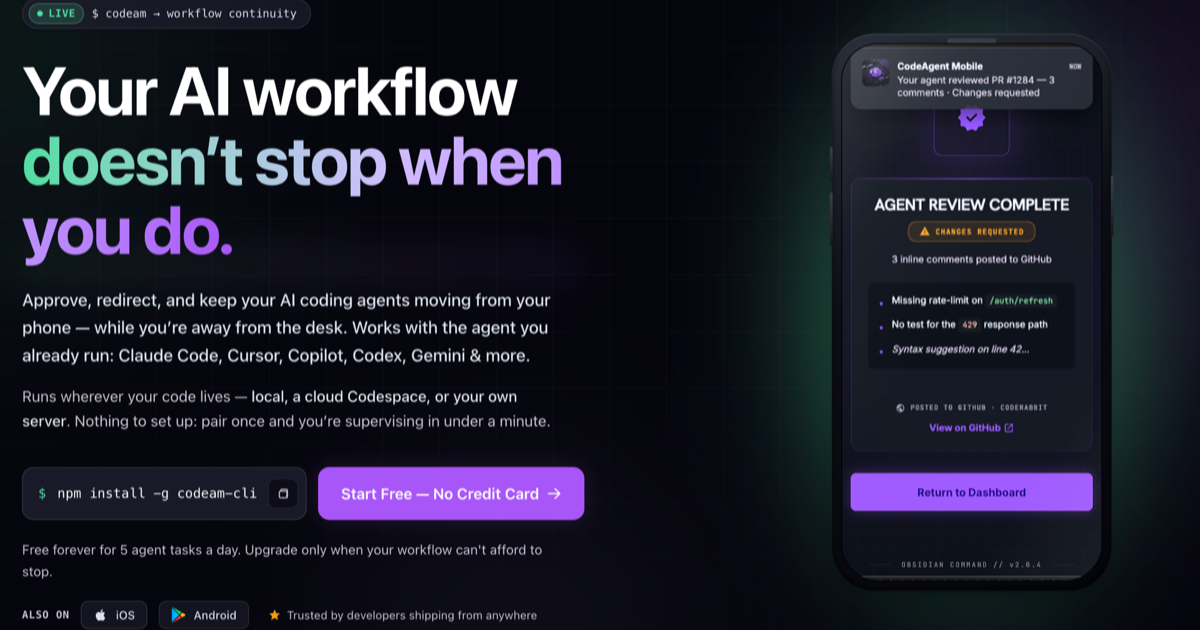
CodeAgent is an innovative SaaS platform designed to provide seamless workflow continuity for developers utilizing AI coding agents. It empowers users to supervise, approve, and redirect their AI coding agents from anywhere, ensuring that development tasks progress without interruption, even when away from the desk. This tool is ideal for individual developers and teams who want to maximize the efficiency of their AI-powered coding workflows across various environments.
Key Features:
CodeAgent streamlines the entire development lifecycle. Developers can start a session from a work item, such as a Jira ticket, and CodeAgent automatically detects the repository, pulls in relevant tools (Figma, Sentry), and launches an agent-ready session with pre-loaded context. The agent then works against acceptance criteria, and the resulting PR updates the original ticket, closing the loop.
Alternatively, a workflow can begin with a Slack conversation. CodeAgent summarizes the discussion, creates a real ticket in your tracker with assignment and acceptance criteria, maps it to the correct repository, and launches an agent session. Once the work is done, CodeAgent comments the PR back on the ticket and replies in the original Slack thread, ensuring nothing is lost between discussion and delivery. The platform also extends to mobile PR review, allowing developers to manage pull requests, including resolving conflicts or sending agents for review, without needing a laptop.
Pricing Information:
CodeAgent operates on a freemium model. A "Free" tier is available forever, offering 5 agent tasks, 5 AI code reviews, and 10 Smart Composer calls per day, along with 1 active cloud workspace. The "Pro" plan, recommended for developers who ship from anywhere, costs $191.99 per year (approx. $16/month, billed annually), providing unlimited access to all features, team spaces for up to 5 collaborators, and deployment to personal servers. No credit card is required to start, and a 7-day money-back guarantee is offered on the first Pro purchase.
User Experience and Support:
The platform emphasizes workflow continuity and ease of use, allowing users to pair their agents via QR scan from the mobile app into their IDE plugin or CLI in under a minute. Agent sessions stream live to the phone, enabling real-time supervision. Team-ready sessions allow multiple collaborators to join the same agent chat, with messages attributed by name. CodeAgent's roadmap is publicly available on GitHub Issues, encouraging users to open feature requests for direct engagement with the development team.
Technical Details:
CodeAgent runs wherever your code lives: locally, in a cloud Codespace (GitHub Codespaces), or on your own server. It leverages PM2 for persistent sessions, ensuring continuity even when you close your laptop or switch networks. The platform automatically trims wasted context in long runs using the open-source Headroom compressor, optimizing token usage and reducing costs. It integrates with various developer tools and platforms, including GitHub, Jira, Linear, Azure DevOps, and Slack.
Pros and Cons:
CodeAgent revolutionizes AI-assisted development by providing an essential supervision layer that ensures your coding agents remain productive and on track, regardless of your location. By bridging the gap between AI execution and human oversight across devices, it significantly boosts developer productivity and team collaboration. Start free today to experience seamless AI workflow continuity and keep your projects moving forward.
Key Features:
- Remote Agent Supervision: Approve, redirect, and manage AI coding agent tasks directly from your mobile phone (iOS/Android).
- Broad Agent Compatibility: Works with popular agents like Claude Code, Cursor, Copilot, Codex, Gemini, and more.
- Automated Workflow Integration: Initiate sessions directly from Jira, Linear, Azure DevOps tickets or Slack conversations, with automatic context packing.
- Mobile PR Management: Review, approve, request changes, comment, merge, or close GitHub Pull Requests from your phone, or dispatch an agent to review.
- Specialized Agent Packs: Run pipelines of agents (Specifier, Coder, Reviewer, QA) for comprehensive task execution, with verified handoffs.
- Voice-Controlled Interaction: Use "Compose" to turn voice/screenshots into structured prompts and "Talk" for hands-free agent supervision.
CodeAgent streamlines the entire development lifecycle. Developers can start a session from a work item, such as a Jira ticket, and CodeAgent automatically detects the repository, pulls in relevant tools (Figma, Sentry), and launches an agent-ready session with pre-loaded context. The agent then works against acceptance criteria, and the resulting PR updates the original ticket, closing the loop.
Alternatively, a workflow can begin with a Slack conversation. CodeAgent summarizes the discussion, creates a real ticket in your tracker with assignment and acceptance criteria, maps it to the correct repository, and launches an agent session. Once the work is done, CodeAgent comments the PR back on the ticket and replies in the original Slack thread, ensuring nothing is lost between discussion and delivery. The platform also extends to mobile PR review, allowing developers to manage pull requests, including resolving conflicts or sending agents for review, without needing a laptop.
Pricing Information:
CodeAgent operates on a freemium model. A "Free" tier is available forever, offering 5 agent tasks, 5 AI code reviews, and 10 Smart Composer calls per day, along with 1 active cloud workspace. The "Pro" plan, recommended for developers who ship from anywhere, costs $191.99 per year (approx. $16/month, billed annually), providing unlimited access to all features, team spaces for up to 5 collaborators, and deployment to personal servers. No credit card is required to start, and a 7-day money-back guarantee is offered on the first Pro purchase.
User Experience and Support:
The platform emphasizes workflow continuity and ease of use, allowing users to pair their agents via QR scan from the mobile app into their IDE plugin or CLI in under a minute. Agent sessions stream live to the phone, enabling real-time supervision. Team-ready sessions allow multiple collaborators to join the same agent chat, with messages attributed by name. CodeAgent's roadmap is publicly available on GitHub Issues, encouraging users to open feature requests for direct engagement with the development team.
Technical Details:
CodeAgent runs wherever your code lives: locally, in a cloud Codespace (GitHub Codespaces), or on your own server. It leverages PM2 for persistent sessions, ensuring continuity even when you close your laptop or switch networks. The platform automatically trims wasted context in long runs using the open-source Headroom compressor, optimizing token usage and reducing costs. It integrates with various developer tools and platforms, including GitHub, Jira, Linear, Azure DevOps, and Slack.
Pros and Cons:
- Pros: Uninterrupted AI workflow continuity; Remote supervision from mobile devices; Deep integration with existing developer tools and AI agents; Automated context setup from tickets/conversations; Enhanced team collaboration features; Cost-effective token usage for long runs; Flexible deployment options (cloud/self-hosted).
- Cons: Full feature set requires Pro subscription; Initial setup/pairing might require brief interaction with IDE/CLI; Relies on mobile app for full remote functionality.
CodeAgent revolutionizes AI-assisted development by providing an essential supervision layer that ensures your coding agents remain productive and on track, regardless of your location. By bridging the gap between AI execution and human oversight across devices, it significantly boosts developer productivity and team collaboration. Start free today to experience seamless AI workflow continuity and keep your projects moving forward.
Comments
Publisher
Launch Date2026-08-27
Platformmobile
Pricingfreemium
Tech Stack
#web#mobile#cloud
Outbid
View🥇 🥈
🥈 🥉
🥉
Want this spot? Pay what you wantBoost Domain Rating - Boost Domain Rating is a platform to discover and upvote the best tech products. Find top products launching daily.
Boost Domain Rating is a platform to discover and upvote the best tech products. Find top products launching daily.
$35
DirEasy - The Best Directory Boilerplate with AI | DirEasy
The best directory boilerplate, packed with AI, Listings, Payment, Submission, CMS, Blog, Authentication, Newsletter, SEO and more.
$30
Quiz Shot - Solve Any Screenshot Question in Seconds.
AI Study Assistant that answers any screenshot question. Get free AI tutor and step-by-step math and homework help with ChatGPT.
$25